Start with a stocked Candy Store
Your first goal in My Candy Business is to complete one clean customer order: buy Candy, receive and shelve the shipment, match an order's candy and weight, then package and deliver it. This establishes the route that turns shop stock into income and Level progress. The orders guide expands the request and prioritization checks once this first loop is clear. Do not begin by buying every available upgrade; first make sure you can recognize the order, find the matching candy, and finish the delivery.
How a customer order moves through the shop
The game follows a repeatable shop-management sequence. You order Candy through the store, wait for the delivery, open the shipment, and place the stock on shelves or in the shop. Customer requests then identify a candy type and a target weight. You scoop that candy into a suitable box or bag, add the requested presentation items, close the package, and send it with Delivery. Finished orders advance Levels and provide money or other progression resources, which open more products, rooms, packaging, decorations, and facilities.
Stock Candy before taking a customer order
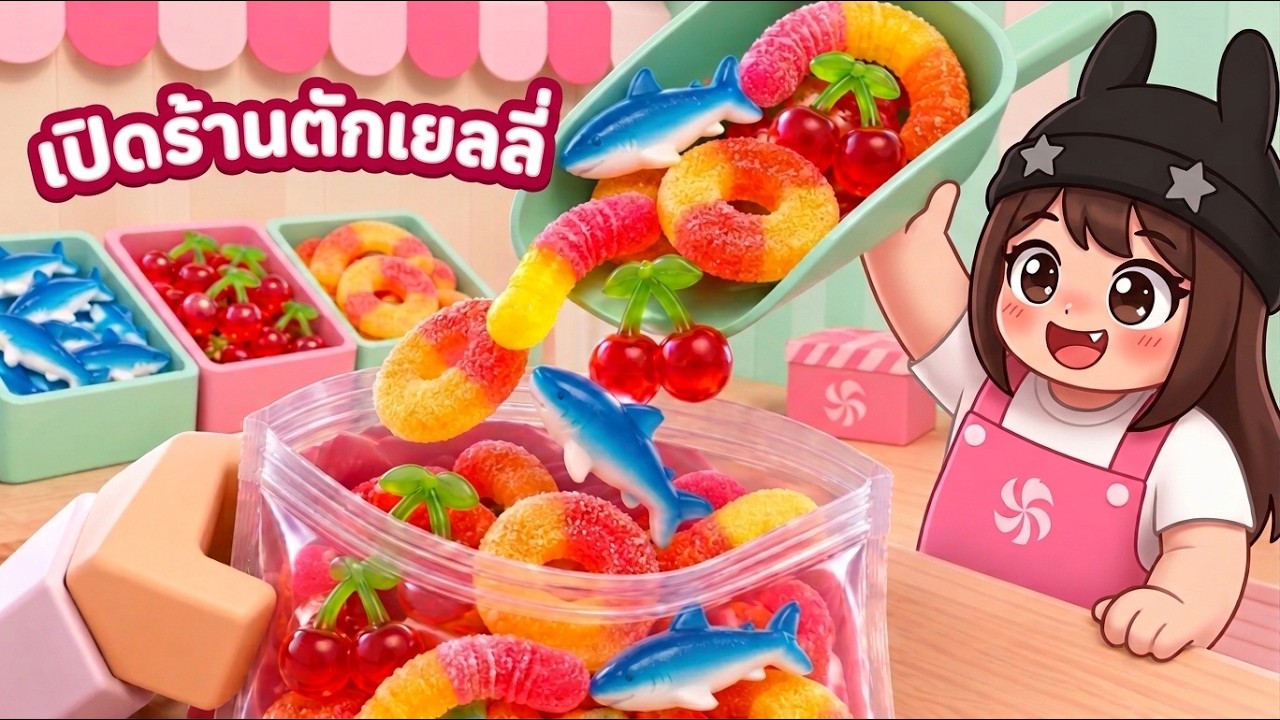
This moment supports the stocking sequence: order Candy, wait for delivery, unpack the box, and place the Candy on the shelf before fulfilling orders.

The important distinction is between Candy and Stock: Candy is the product, while Stock is the supply available for future orders. When a shelf runs low, return to ordering before accepting more work than your inventory can support.
The systems that matter on your first visit
Candy and Stock
Candy includes products such as peach candy, egg candy, gummy worms, gummy sharks, watermelon slices, jelly foam, and milk bottles. Stock is the supply you receive, unpack, and place where orders can use it. Keep more than one commonly requested type available rather than emptying the shop for a single order.
Candy Orders
An order tells you which candy to prepare and how much to weigh. Supported examples include 150 g, 250 g, 500 g, 750 g, and 1 kg. Read both parts before scooping; choosing the right candy but the wrong weight still creates rework.
Packaging
Packaging turns loose candy into a shippable order. The packaging guide covers the scoop, container, sticker, closing, and delivery sequence in more detail. Scoop the requested amount into a box or bag, choose a suitable size, add a sticker, close the package, and then send it. The package size should make sense for the requested amount, such as choosing a 750G box for a 250-gram order when that option is shown.
Pack a 250-gram Candy order
This moment supports the packaging steps for a 250-gram order: choose a 750G box, add a shop sticker, and pack the shipment.
Stickers and Delivery
Shop, star, and special are examples of Stickers used during packing. After the package is closed and labeled, Delivery completes the transaction and clears the prepared order from the work queue.
Levels and Shop Upgrades
Completed orders move your Levels forward and unlock additional candy, packages, rooms, decorations, and shop features. Shop Upgrades are the longer-term capacity choice: use them as the order flow grows so the store can hold and handle more products. The available evidence confirms level examples at 5, 10, 15, and 20, but not a complete reward chart or upgrade-cost list.
Bedroom and decorations
The Bedroom is an additional upgrade and customization area. Decorations include items such as packs and beds, and become more useful after the basic order route is reliable. Treat decorating as a progression target rather than a substitute for keeping Candy in stock.
Gifts and later facilities
Check Gifts and daily rewards between orders for extra candy, Pins, or other rewards. Later progression also includes Content Studio, Candy Factory, Warehouse, and Helpers. These systems are confirmed to exist, but their exact capacity, recipes, prices, and unlock conditions are not fully established here, so use the current in-game panel for those details.
Your first complete customer order
- Enter the Candy Store and inspect the available shelves and work area. Identify which candy is already present before spending your first resources.
- Open the store ordering option and order the Candy needed for the available work. If the shelf is empty, order a small useful mix rather than relying on one product.
- Wait for the shipment, open the delivered box, and place the candy on the shelves or in the shop inventory. This turns the delivery into usable Stock.
- Watch for a customer request or print the order when that option is available. Read the candy name and target weight together.
- Take the named candy from the shelf and scoop it into the work package. Adjust the amount until it matches the order's grams, checking especially for distinctions between 150 g, 250 g, 500 g, 750 g, and 1 kg.
- Select a box or bag that can hold the order. Confirm the displayed size before moving on; a correct candy amount in an unsuitable package can still require repacking.
- Add the required presentation sticker, such as shop, star, or special, then close and seal the package.
- Use Delivery to send the completed package. Confirm that the order leaves the work queue and that your Level or available money has advanced before starting another task.
- Check the remaining Stock and Gifts. Restock the candy that is running low, claim available rewards, and save the next upgrade decision for the capacity or feature that removes your current bottleneck.
Early priorities and recovery rules
Prioritize the basics in this order:
- Keep enough varied Candy Stock to answer the next order.
- Read candy type and weight before touching the scoop.
- Match the package size, sticker, and seal before Delivery.
- Finish orders consistently to build Levels and money.
- Spend progression on capacity or a needed shop feature before optional decoration.
- Check Gifts and daily rewards during the gaps between shipments.
Use these recovery rules when a first run goes wrong:
- You ordered the wrong candy: Do not scoop a substitute. Order the named Candy, wait for delivery, unpack it, and place it into Stock before continuing.
- The amount is wrong: Stop before sealing the package, adjust the scoop to the order's target weight, and recheck the display.
- The package is too small or otherwise unsuitable: Choose a fitting box or bag before adding the final seal; do not send an unready package.
- The order is packed but not completed: Confirm that the package is closed and labeled, then use Delivery rather than leaving it at the packing station.
- A shelf is running empty: Restock before taking the next request, and use Shop Upgrades later if capacity—not order accuracy—is the recurring constraint.
Use the end of each order as a short management checkpoint. If the request is gone but the next one cannot start, separate the possible causes: an unfinished seal or Delivery action is a packaging problem, while a missing product is a Stock problem. If the shop can fulfill requests but storage is repeatedly tight, that is the point at which a capacity upgrade becomes more useful than another decoration. This habit keeps the early game readable even as more rooms and facilities become available.
Do not treat later features as required steps in the first order. Content Studio, Candy Factory, Warehouse, and Helpers are progression targets confirmed by the game information, but their detailed costs, capacity, recipes, and unlock conditions are not established for every current version. Learn the manual order route first, then use the in-game panel to decide when one of those systems solves a real bottleneck.
The same distinction helps with rewards. Gifts and daily rewards can provide extra candy, Pins, or other benefits, but they do not replace a stocked shop. Claim them between orders, then check whether the product actually entered usable Stock before relying on it for a request. If it did not solve the immediate shortage, reorder the named candy rather than substituting a different product.
My Candy Business beginner FAQ
What should I do first in My Candy Business?
Order Candy, wait for the shipment, unpack it, and put it on the shelves. Then take one customer order from its candy type and target weight through packaging and Delivery.
Which details must I check before packing an order?
Check the candy type and the requested weight together. The guide lists 150 g, 250 g, 500 g, 750 g, and 1 kg as order weights, so do not choose a package based only on the candy name.
What unlocks more rooms and features?
Completed orders advance Levels, and level progress unlocks additional candy, packaging, rooms, decorations, and shop features. Content Studio is associated with Level 5 in the game information, while a complete unlock chart is not confirmed; check the current game panel for exact requirements.
When should I buy Shop Upgrades?
Buy them when stock capacity or shop handling is limiting completed orders. Keep the basic order route working first, then use upgrades to address the bottleneck rather than spending early progress only on decoration.
What if I run out of the candy an order requests?
Do not replace it with another candy. Reorder the named product, wait for delivery, unpack it into Stock, and then resume the order. Restocking before accepting the next request reduces the same interruption.